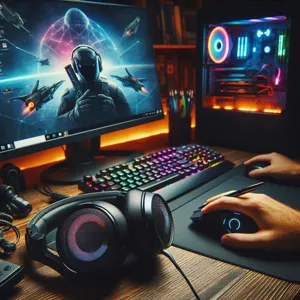
Why Your PC Gaming Setup Needs a Dedicated Headset
Credit : whatcanu.com
Audio is just as critical as your frame rate or graphics settings. In competitive games, hearing an enemy’s footsteps before you see them is the difference between a win and a respawn screen. Think of your gaming headset like a pair of high-performance tires on a sports car; even the fastest engine won’t save you if you can’t control your position on the track.
Credit : whatcanu.com
Beyond the competitive edge, a quality headset provides soundstage—the ability to perceive audio depth and directionality. This turns a flat experience into a 3D environment, letting you identify whether an explosion is happening behind your left shoulder or far off in the distance. If you are still relying on monitor speakers or basic earbuds, you are missing half of your game’s world.
Key Criteria for Choosing Your Headset
Don’t fall for marketing gimmicks. Focus on these four pillars to ensure you get hardware that actually improves your session:
Sound Fidelity: You want a balanced profile. Avoid headsets that are artificially bass-heavy, as they drown out essential mid-range sounds like footsteps or teammate callouts.
Microphone Quality: A crisp microphone is mandatory for team communication. Look for noise-canceling features that strip out background clatter like keyboard clicking or air conditioning.
Ergonomics: If your ears hurt after an hour, the headset is a failure. Prioritize memory foam ear cups and a headband with a floating suspension system to distribute weight evenly.
Connectivity: Wired connections offer zero latency and no charging anxiety. Wireless options provide freedom, but ensure you choose models with a 2.4GHz low-latency dongle rather than standard Bluetooth.
Common Pitfalls to Avoid
Credit : whatcanu.com
Avoid the ‘Gaming’ Tax: Many headsets aimed at gamers prioritize aesthetics like aggressive RGB lighting over raw sound quality. Always check for driver size (50mm is the industry sweet spot) and frequency response range rather than how many colors the ear cups display.
Ignoring Material Durability: Headsets often snap at the hinge. If the unit feels like cheap, creaky plastic, it will likely break within six months. Prioritize metal frames—aluminum or steel—even if they cost twenty dollars more. It is an investment in longevity.
The Top 5 Headsets for PC Gaming Right Now
Credit : whatcanu.com
Based on build quality, audio clarity, and long-term comfort, here are the leaders in the current market:
HyperX Cloud Alpha: The gold standard for durability. It features a sturdy aluminum frame and dual-chamber drivers that separate bass from mids and highs for less distortion.
SteelSeries Arctis Nova Pro: A premium choice for those who want high-fidelity audio. The swappable battery system is a game-changer, meaning you never have to plug in to charge.
Razer BlackShark V2: Excellent for competitive shooters due to its passive noise cancellation. It fits like a professional aviation headset, keeping you focused on the soundscape.
Logitech G Pro X: Known for the Blue VO!CE software which allows you to dial in your microphone settings with professional-grade EQ and compression filters.
Beyerdynamic MMX 300: The choice for those who value absolute audio precision. It is built to studio standards and offers a level of clarity that most standard gaming brands cannot replicate.
Pro Tip: Equalize Your Audio
Most gamers take their headsets out of the box and never adjust the settings. Download the companion software for your specific device—such as G Hub, Synapse, or SteelSeries GG—and experiment with the EQ settings. For competitive FPS games, slightly boosting the 1kHz to 3kHz frequency range can make footsteps significantly easier to track. Don’t be afraid to create custom presets for different genres; your optimal settings for a tactical shooter should be very different from your settings for a cinematic open-world game.