Peripherals are everything you touch, see or hear while playing. They often matter more to your experience than a small upgrade inside the PC, and unlike components, you keep them when you change computers. The trick is upgrading in the order that brings the biggest gain.
1. The monitor
The monitor is usually the most noticeable upgrade. Moving from a 60 Hz screen to 144 Hz or more makes every movement smoother, and moving from 1080p to 1440p makes games and text sharper. Make sure your graphics card can drive the resolution and refresh rate you choose.
2. The mouse and mouse pad
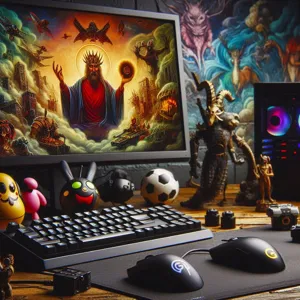
A gaming mouse with a reliable sensor and a shape that suits your hand improves aim and comfort. A large cloth mouse pad is an inexpensive upgrade that gives consistent glide and room for low-sensitivity aiming. These two together often matter more than a new graphics card for shooter players.
3. Audio
A comfortable headset, or good headphones with a separate microphone, lets you hear footsteps and directional cues and talk clearly with your team. Comfort over long sessions is the main criterion.
4. The keyboard
A mechanical keyboard feels better and lasts longer than a membrane one. For shooters, a compact layout frees up mouse space, and keyboards with adjustable actuation and rapid trigger give an edge in fast movement.
5. A controller
Many PC games, including racing, sports, platformers and action games, play better with a controller. Xbox controllers work natively in Windows, and Steam’s controller settings support PlayStation and many other pads.
Comfort and setup
Two items are often forgotten:
- The chair and desk height: a chair with good lumbar support, set so your elbows are roughly level with the desk, reduces back and wrist strain more than any gaming accessory.
- Lighting: a light behind the monitor reduces eye strain in dark rooms.
You do not need a “gaming” chair: a decent office chair often has better ergonomics for the price.
Where not to spend
RGB lighting, mouse bungees and branded accessories make a setup look good but do not improve play. Very high DPI or polling rate figures are also mostly marketing beyond a certain point.
A sensible plan is to fix your weakest link first. If your monitor is old, start there; if your mouse is slipping and your hand hurts, start with the mouse. Our guides on gaming mice and gaming headsets go into more detail.