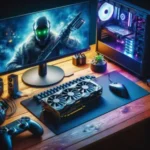
A $2000 budget is the sweet spot for high-end performance. At this price point, you move past value-oriented parts and into hardware that handles 1440p ultra-settings or 4K gaming with ease. You are not just building a computer; you are engineering a system designed for thermal efficiency and long-term upgradeability.
The Core Strategy: Performance-First Allocation
The most common error is splurging on aesthetics. RGB lighting and fancy chassis designs do not increase your frame rate. You must prioritize silicon quality. The GPU is the engine that renders every frame, so it deserves nearly half your budget. The CPU acts as the conductor, and if it is too slow, the graphics card waits for instructions, creating a bottleneck.
GPU: $800 – $850 (NVIDIA RTX 4080 Super or AMD Radeon RX 7900 XT).
CPU: $350 – $400 (AMD Ryzen 7 7800X3D).
Motherboard: $180 – $220 (B650 chipset with robust VRM cooling).
RAM: $120 – $140 (32GB DDR5-6000 CL30).
Storage: $130 – $150 (2TB NVMe M.2 Gen4 SSD).
Power Supply: $130 – $150 (850W 80+ Gold Fully Modular).
Case: $100 – $120 (High-airflow mesh design).
Cooling: $80 – $100 (240mm AIO or premium dual-tower air cooler).
Mastering the CPU and GPU Relationship
Credit : whatcanu.com
The Ryzen 7 7800X3D is the current gold standard. Its massive 3D V-Cache acts like a huge desk surface where the processor keeps all necessary game data within reach. Instead of constantly fetching data from the slower RAM or storage, the CPU has everything ready to go. This minimizes stuttering in open-world games.
When selecting your GPU, prioritize the cooling solution. Look for models with triple-fan setups. These cards run quieter and maintain higher boost clocks because they stay cooler. Before buying, check the card length against your case specifications. If your GPU is 330mm long, ensure your case supports at least 340mm to allow for proper airflow circulation.
The Infrastructure: Motherboard, RAM, and Storage
Do not pay for marketing buzzwords. Focus on the VRM—the voltage regulator modules. Think of these as the power converters for your CPU. If they get too hot, your performance will throttle down immediately. Choose a B650 motherboard with integrated heatsinks on the power delivery section.
Credit : whatcanu.com
For RAM, use 32GB (2x16GB). Never use four sticks if you can use two. Modern memory controllers handle two lanes of traffic much better than four, which often causes stability issues. Regarding storage, stick to a single 2TB NVMe M.2 Gen4 drive. It plugs directly into your motherboard, eliminating the slow cable bottleneck of older SATA technology.
The Power Supply: The Silent System Protector
Never treat your Power Supply Unit (PSU) as a place to save money. A cheap, unstable PSU is like a bad electrical grid; one surge can fry your expensive components. Always choose a reputable brand with an 80+ Gold efficiency rating. A fully modular design is non-negotiable here. It allows you to use only the cables you need, keeping the interior of your case uncluttered for better airflow.
Field Notes: Mistakes That Cost You Time
Building a PC is mechanical, but one misstep can cause hours of troubleshooting. Here is what I see time and again:
The I/O Shield Trap: Always snap the rear I/O shield into your case before the motherboard goes in. If you forget this, you have to unscrew everything to add it later.
Thermal Paste Math: Most coolers come with pre-applied paste. If you use your own, use only a pea-sized amount. Too much paste acts like a thick winter coat; it traps heat against the CPU instead of transferring it to the cooler.
Dual-Channel RAM: Always check your motherboard manual for the correct slots. Typically, you use the second and fourth slots from the CPU. Using the first two slots often forces your memory into single-channel mode, effectively cutting your memory bandwidth in half.
The Airflow Obstacle: Route every cable behind the motherboard tray. A case full of tangled cables is like a messy room with closed windows; heat builds up because it has nowhere to go.
Optimizing Your Performance Post-Build
Credit : whatcanu.com
Your hardware will not run at full potential out of the box. You must enter the BIOS immediately after the first boot. First, enable the EXPO or XMP profile. Your RAM will default to a slow, safe speed to ensure boot compatibility, but you need to manually toggle the high-speed profile to get the performance you paid for.
Second, set a custom fan curve. Stock profiles are often either too aggressive, causing noise, or too lazy, allowing heat to build up. Aim for a curve that keeps fans spinning at a low, consistent speed during idle, and ramps up predictably as the GPU or CPU hits 60 degrees Celsius.
Final Expert Advice
Maintenance matters as much as the build. Clean the dust filters of your case every three months. Dust is an insulator; it builds up on heat sinks and traps heat just like a blanket. Keep your intake paths clear, maintain your BIOS updates, and your system will remain a high-end performer for years.