Why a Gaming Mouse is Essential for Your PC Setup

You might think a mouse is just a simple input tool, but in PC gaming, it is the bridge between your reflexes and the virtual world. A standard office mouse is built for clicking spreadsheets, not for the millisecond-perfect tracking required in competitive titles. Switching to a gaming-grade mouse changes how your inputs are translated into game actions.
Think of this transition like swapping your daily commuter car for a professional race car. Both get you to the destination, but the race car offers the precision handling needed for tight corners. Here is why investing in dedicated gaming hardware is a non-negotiable upgrade.
The Core Technical Advantages

Gaming mice use advanced internal architectures designed to eliminate input lag. While office mice often use basic sensors that struggle with erratic movements, gaming mice prioritize raw, unfiltered input.
- DPI (Dots Per Inch): This measures sensitivity. High DPI allows your cursor to cross the screen with minimal wrist movement. A mouse like the Razer DeathAdder V3 Pro allows you to fine-tune this to match your monitor’s resolution perfectly.
- Polling Rate: Measured in Hz, this is how often the mouse reports to your PC. A 1000Hz rate reports every 1ms. Standard office mice often operate at 125Hz, causing an 8ms delay. In a high-stakes duel, 7ms of difference is the gap between a headshot and a miss.
- Acceleration and Smoothing: Gaming sensors avoid software smoothing, ensuring your physical hand movement perfectly maps to the screen distance.
Sensor Performance: Real-World Data
The sensor is the heart of your mouse. Most professional eSports players prefer optical sensors over laser models. Optical sensors, such as the PixArt PMW3395 found in top-tier models like the Logitech G Pro X Superlight, offer incredible consistency.
Why optical wins: Laser sensors can pick up microscopic dust or surface imperfections on a mousepad, leading to jitter. Optical sensors use an LED that tracks texture rather than depth, keeping your aim rock-solid. If you play tactical shooters, consistency is more valuable than tracking on glass surfaces.
Ergonomics: Preventing Long-Term Fatigue
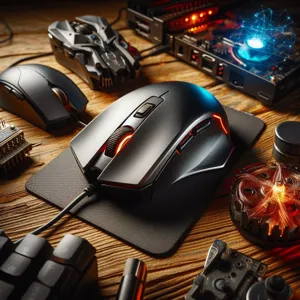
Standard mice are often flat or symmetrical. This forces your hand into a claw position that causes tension in the wrist and forearm. Professional gaming mice are sculpted to support your hand’s natural arch, much like how an ergonomic office chair supports your spine.
Choosing your fit:
- Palm Grip: You rest your whole hand on the mouse. Look for larger, ergonomic shapes like the Zowie EC series.
- Claw Grip: Your palm rests on the back, but your fingers are arched. A smaller, humped mouse provides the best leverage here.
- Fingertip Grip: Only your fingertips touch the mouse. Ultra-light, short mice are superior for this high-precision style.
Strategic Customization and Thumb Mapping
Gaming mice offer programmable buttons that act as force multipliers. You can map complex inputs like reloading, grenade tossing, or ability cooldowns to your thumb.
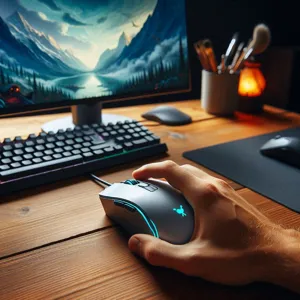
Expert Implementation: Use the manufacturer’s software to create specific profiles. For example, assign a ‘Sniper Mode’ that drops your DPI to 400 when you hold a side button. This allows for rapid movement while navigating, then extreme precision during long-range engagements. It effectively gives you two mouse speeds in one device.
Common Pitfalls to Avoid
Don’t fall for the ‘more is better’ marketing trap. Here are mistakes I see players make every day:
- The Weight Trap: Avoid ‘feature-packed’ mice that weigh over 100 grams. If you play fast-paced shooters like Valorant or Apex Legends, the added weight creates momentum that makes it impossible to stop your aim exactly on the target. Aim for sub-70 gram weights.
- Ignoring Lift-Off Distance (LOD): This is the height at which the mouse stops tracking when you lift it. A high LOD causes your crosshair to jump when you reposition the mouse. Professional mice have an LOD of under 1mm.
- Cable Drag: If you aren’t using a wireless mouse, buy a mouse bungee. It holds the cable off the desk, preventing the ‘tug’ that disrupts your aim during intense flick shots.
Performance Gains You Can Measure
When you switch to a dedicated gaming mouse, you remove hardware limitations from your skill set. When you miss a shot, you know it is your hand—not a sensor glitch or input latency—that is to blame. This is the ultimate competitive advantage because it allows you to build genuine, reliable muscle memory. Once you master the weight and shape of a high-end peripheral, you stop fighting your equipment and start playing the game.
Content updated on 2026-09-04