Stop: Why Your Lightning Port is a High-Risk Zone
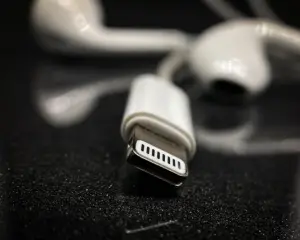
You see the liquid detection alert. Your first instinct is to find a quick fix. Stop right there. The Lightning connector is a complex assembly of microscopic metal pins. Think of it like a miniature power grid in your home. If water enters, it creates a shortcut for electricity. This leads to terminal corrosion, which is essentially the metal rotting away.
Most people treat their phone like a tank, but the charging port is the most vulnerable point of entry. Even a few drops of water can cause the delicate pins to arc. This means the electricity jumps between pins, frying the internal components instantly. You do not need a technician to tell you that moisture and electricity are a disastrous mix.
The Immediate Response Protocol
If your device gets wet, you have a window of about 30 seconds to prevent permanent hardware failure. Follow this sequence immediately to limit the damage.
- Disconnect every cable immediately. Never try to charge a device that has been exposed to liquid.
- Power down the phone entirely. Leaving it on keeps power flowing to the port, which accelerates pin corrosion.
- Tilt the phone with the Lightning port facing the ground. Tap it gently against your palm to dislodge large droplets.
- Leave the port exposed to open air. Do not put the phone in a bag or a closed container.
The Rice Myth and Other Catastrophic Mistakes
There is a persistent myth that rice dries out electronics. Ignore it. Putting your phone in rice is like trying to fix a leak in a dam with a handful of sand. The rice dust enters the port and turns into a sticky paste when it hits the remaining moisture.
Avoid these common ‘home remedies’ that actually destroy ports:
- No hair dryers. The heat can warp the internal adhesive seals, effectively killing the water resistance of your entire phone.
- No cotton swabs or toothpicks. You will likely snap a piece of the object inside the port, which is almost impossible to remove.
- No compressed air. This forces water deeper into the device, pushing it toward the sensitive logic board where it will cause hidden rust.
Professional Drying Techniques
The only safe way to remove moisture is through controlled evaporation. Think of this like drying a wet shirt; you need steady airflow, not intense heat. Place your phone on a flat surface in a room with good ventilation. If you have a small desk fan, point it toward the port from a few feet away.
Do not aim the fan directly into the port. You want to create a gentle cross-breeze that wicks the moisture out of the cavity. Patience is your most effective tool here. Most users make the mistake of checking after one hour. You must wait at least five to six hours, but twenty-four hours is the industry standard for full safety.
The Hidden Danger: Corrosion Indicators
Even if the phone turns on, your port might still be compromised. Corrosion does not happen instantly; it is a slow process that starts the moment the water touches the metal. Inspect the port under a bright light. Do you see any green or blue tint on the contacts? That is copper oxidation, the primary sign of terminal damage.
If you see discoloration, do not try to scrape it off. You will ruin the conductive coating on the pins. Instead, treat the cable itself with suspicion. If you plug a wet or dirty cable into your phone, you are re-introducing moisture and contaminants into a sensitive environment. Always wipe down your charging cables with a dry, microfiber cloth before plugging them into a potentially vulnerable port.
When DIY Ends and Pro Repair Begins
If you have followed these steps for 24 hours and your phone still refuses to charge, the damage is likely beyond the surface. The liquid detection alert is a software safeguard, but it relies on hardware sensors. If those sensors are permanently triggered, the internal controller has failed.
Do not attempt to open the device or use chemical cleaning agents to ‘fix’ the connection. You are dealing with microscopic components that are easily crushed or misaligned. Take your device to an authorized service provider. They possess specialized vacuum tools and diagnostic software to determine if the port assembly can be salvaged. DIY repairs at this level typically lead to a dead device, whereas a professional fix is a surgical procedure that keeps your phone operational for years.
Content updated on 2026-10-17