Most home offices fail because they look good on Pinterest but ignore how you actually work. Stop buying furniture first. Instead, map out your tasks. Do you need a sprawl of documents for a creative project? Or do you need a distraction-free digital terminal for coding? If your work involves back-to-back video calls, your priority isn’t a desk—it is a neutral backdrop and acoustic dampening. If you are an organizer, you need vertical storage to keep your surfaces clear. Think of your office like a tool belt; every item should have a specific purpose and a designated spot.
The Ergonomic Foundation: Avoid the Dining Table Trap
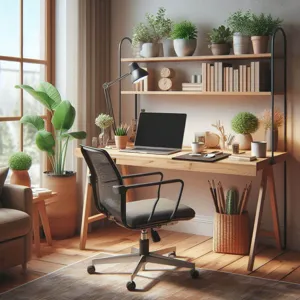
Using your dining chair for eight hours is a recipe for chronic back pain. You need a dedicated workstation that respects your body’s anatomy. Your desk height should allow your elbows to rest at a 90-degree angle while your wrists remain neutral. Your feet must sit flat on the floor. If they don’t, use a footrest or a stack of books. An ergonomic chair is your most critical investment. Look for lumbar support that physically touches your lower back curve. If your chair lacks this, use a small lumbar cushion. Pro tip: If you use a laptop, raise the screen to eye level using a stand or a stack of reams of paper, and add an external keyboard. Working on a laptop keyboard causes ‘hunchback’ posture within 20 minutes.
Mastering the Layout: Flow and Connectivity
Credit : whatcanu.com
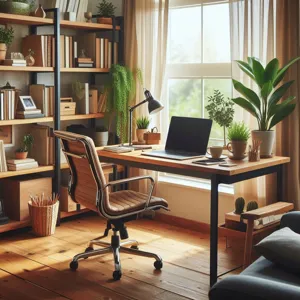
Position your desk to avoid glare. If you face a window directly, your screen will wash out. If your back is to the window, you will have harsh shadows on your face during video calls. Place your desk perpendicular to the window to utilize side light. Ensure your Wi-Fi router is nearby; distance kills signal stability. Use cable management sleeves or under-desk trays to prevent a tangled mess of wires. A messy floor of cables acts like a visual anchor, constantly distracting your subconscious mind from the task at hand.
Lighting: The Secret to Focus
Overhead room lighting is usually insufficient and creates eye strain. You need a three-layer lighting strategy. First, natural light for general ambient mood. Second, a high-quality task lamp with an adjustable arm for reading documents. Third, bias lighting behind your monitor to reduce high-contrast glare. Use LED bulbs with a color temperature around 4000K to 5000K. This mimics daylight and keeps your alertness levels high throughout the afternoon.
Acoustics and Thermal Management
Credit : whatcanu.com
Temperature and sound are the two invisible productivity killers. A cold office makes you sluggish; a hot one makes you lethargic. Aim for 20°C to 22°C (68°F to 72°F). For acoustics, soft surfaces absorb sound. If your office echoes, you are suffering from hard-surface reverberation. A rug under your desk, curtains, or even wall-mounted fabric canvases will dampen the echo. If you cannot soundproof the room, use active noise-canceling headphones to create a ‘sonic bubble’ during deep work sessions.
Storage Systems That Last
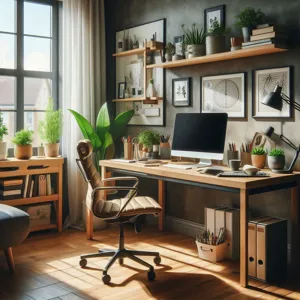
Clutter is a tax on your brain. Every time you have to move a stack of papers to find a pen, you break your focus. Use the ‘Landing Zone’ concept: keep only daily tools on your desk. Everything else goes into drawers or shelves within one rotation of your chair. If you use physical files, label them clearly with a dedicated label maker. Digital clutter is just as bad; clear your desktop every Friday evening before you finish. Starting Monday morning with a clean digital desktop significantly reduces your ‘start-up’ stress.
Setting Psychological Boundaries
Credit : whatcanu.com
The biggest challenge in a home office is not knowing when to stop working. Use physical triggers to signal the end of your day. Shutting your laptop is one, but consider others. Change your lighting to a warmer, dimmer setting at 6:00 PM. Put your work tools in a drawer. If you work in a living space, close a screen or move a chair to signify the room is now for living, not labor. If you don’t create these rituals, your brain remains in ‘work mode’ indefinitely, leading to inevitable burnout.
Actionable Maintenance Plan
Daily Reset: Clear your desk surface completely before ending your shift.
Weekly Audit: Every Friday, delete unnecessary digital files and clear your inbox.
Monthly Ergonomic Check: Adjust your chair and monitor height to ensure you aren’t slipping into bad posture habits.
Equipment Review: Regularly check your Wi-Fi speeds and software updates to ensure no technical frustration hinders your progress.
Your home office is a dynamic environment. Treat it like a living organism. If a piece of furniture or a tool stops serving your workflow, remove it. Adaptability is the final key to a truly functional space.