Why Choosing the Right MMO Gaming Mouse Matters
In MMO gaming, your mouse is the engine of your performance. It processes complex skill rotations and inventory management while you focus on boss mechanics. A standard office mouse limits your reach and triggers hand fatigue quickly. Professional play requires hardware designed to handle heavy input density. When seconds define success, a specialized MMO mouse becomes your primary competitive advantage.
Hardware vs. Software: The Ecosystem Factor
Buying a high-end mouse is only half the battle. The true power lies in the integration between your hardware and the brand’s software ecosystem. Think of the software as the brain and the mouse as the hands. If the software is buggy or unintuitive, the mouse becomes a glorified brick.
Razer Synapse and Corsair iCUE represent two different philosophies. Razer Synapse is cloud-based, offering excellent synchronization across multiple devices. If you travel or switch between systems, your macros follow you instantly. However, it can be resource-heavy on older hardware.
Corsair iCUE is known for its granular, hardware-level control. It excels at complex lighting integration and deep macro customization. It is generally more stable for users who prefer keeping settings local to their machine. Choose your ecosystem based on whether you value cloud convenience or local processing power.
Core Criteria for MMO Hardware
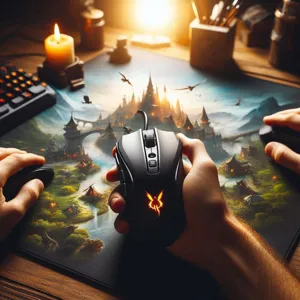
Selecting the right device requires more than checking the button count. Focus on these three metrics for a professional setup:
- Thumb Grid Layout: Seek a physical grid of at least 9 to 12 buttons. This creates a secondary keyboard under your thumb, freeing your left hand for movement.
- Customizable Actuation: You need physical adjustability. The ability to slide the button panel is not a gimmick; it is essential to align the buttons with your unique thumb length.
- Onboard Profiles: Ensure the device stores its mapping internally. This allows you to retain your specific ability layouts even if the mouse software is not active on the secondary system.
Comparative Analysis of Top MMO Mice
Not all mice perform the same under heavy raid conditions. Here is how the leaders compare in a practical environment:
- Razer Naga V2 Pro: This is the most versatile option for hybrid gamers. Its strength lies in the swappable side plates, allowing for a shift between MOBA and MMO layouts. It is the best choice if you play diverse genres.
- Corsair Scimitar RGB Elite: This mouse prioritizes physical comfort. The key-slider system allows you to adjust the thumb grid’s position by 8mm. It is superior for those with larger hands who struggle to reach the front-most buttons on other models.
- Logitech G600: The G-Shift feature is a unique software-hardware hybrid. It assigns a secondary function to every button when a third mouse button is held down. This essentially doubles your button capacity, making it a budget-friendly powerhouse for complex hotbar setups.
Common Setup Pitfalls to Avoid
Even the best gear fails if the setup is flawed. Avoid these common mistakes to prevent performance plateaus:
- The Initial Overload: Do not map all 12 buttons on day one. Your brain needs time to create muscle memory. Start with your three most critical skills and add one button every two days.
- Software Bloat: Disable auto-startup for your mouse software if you only need it for configuration. This keeps your system resources free for your game, reducing potential input lag.
- Hardware Maintenance: MMO mice are prone to skin oil accumulation in the side-button crevices. Use a non-conductive pick to clean the gaps monthly. Sticky buttons are usually the result of dirt, not mechanical failure.
Ergonomic Best Practices for Long Sessions
Pain is a signal that your equipment setup is wrong. If your forearm feels tight, your chair height is likely too low relative to your desk. Your arm should rest in a neutral position to prevent nerve strain.
Avoid the ‘claw’ trap. If a mouse is too large, your fingers will instinctively arch to compensate. This tension migrates from your fingers to your wrist. If you are stuck between two sizes, always pick the smaller, lighter model. Controlling a lightweight mouse requires less muscle engagement over a four-hour session. A lighter load ensures you remain consistent during high-pressure late-game moments.
Content updated on 2026-10-21